Ms Bakker · MeppelWhatsApp
⋮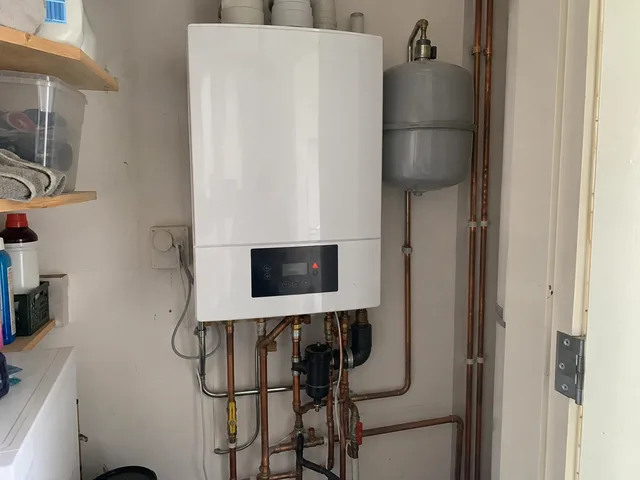
Good morning, my boiler shows an error code and keeps switching off.
We have had no hot water since this morning.
Could someone come over? I am home until 13:00.
+
From job sheet to draft invoice, from fault report to appointment proposal. I build the automation around your software.
I first check how we can connect to your accounting, planning and other systems.
Your prices, agreements and steps are the starting point.
Information from messages and documents comes together in a useful draft.
You check and send. We agree in advance how missing or unreadable information is brought to your attention.
You receive a proposal before I start building.
Tell us which repetitive work you want to stop doing. Our assistant answers using Socialo’s knowledge.
From a photo of the slip to a draft invoice in your accounting.
Reported on the job, back as a separate line on the invoice.
From a message or mail to a report you can schedule.
From the contract to a reminder with a proposed date.
The request is read out and the details are ready for your quote.
The materials list from the slip becomes a draft order.
The hours from the slip end up in your hours overview.
Standard questions get a draft answer, the rest comes to you.
Where does your time go, and which systems do you use? We discuss how your business works.
You receive a proposal covering automation opportunities, connections, timing and costs.
I build your system step by step and keep you updated. We test, improve and expand it.
Your dashboard shows what your AI has processed. We agree in advance where you check and send the drafts.
Pricing depends on the process and integrations. The amounts below are starting points, not prices for the demos shown.
You receive a proposal covering the process, systems, your checkpoints and all one-off and recurring costs. We also define how to evaluate time gained and any lower expenses.

You can always message me and tell me about your situation. Tell me which manual tasks you want to get rid of. Then we’ll look at what I can automate for your business.